
The short version
- Payment apps pay a parent, not the group. Decide if you’ll allow them.
- Any account the group takes money into is in the group’s name.
- Decide who covers the card fee before the sale starts.
Why groups look at cards and apps
Fewer people carry cash or a checkbook. When a neighbor can’t pay, the sale often walks away. So most groups end up looking at payment apps, card apps, or both.
Each one works. Each one also has a catch.
The usual ways, and the catch
- 1.Payment apps, like Venmo. They’re made for person to person, like paying a friend back. A parent’s personal account isn’t meant for a group’s sales, and the money sits there, mixed in with their own, until they send it on. Your treasurer ends up chasing every family.
- 2.A business payment account. Some apps offer one, but it’s a different setup, with its own rules and fees, and it can still be tied to one person’s account. Look into the details yourself before you count on one.
- 3.A card app, like Square. Older setups need a card reader you carry along. Newer phones can take a tap without one. But every seller’s phone needs the app and a sign-in to the group’s account, set up person by person. For a whole team of families, that’s a lot to manage. Check their current plans, fees and phone rules yourself before you count on it.
Business payments come with a fee, whichever way you go. That’s fine, as long as you plan for it.
Set the rules once
- 1.Decide on payment apps. If you don’t want money in a parent’s account, don’t allow them. Say so in writing.
- 2.Any account you take money into is the group’s, in the group’s name. Your treasurer holds the login.
- 3.Decide the fee up front. Build it into your prices, or plan for the group to cover it. Don’t add a surprise charge at the door.
- 4.If you do take app money, every payment gets a note: the seller’s name and what was ordered.
- 5.Match payments to orders every week, while everyone still remembers.
- 6.Never write a card number on a paper form. Not even for a minute.
Copy this
For the kickoff message
We take [cash, checks and cards]. Please don’t pay by Venmo or another payment app: that money goes to a parent’s account, not the group’s.
A quick example
A high school theater group sold spring flowers. The year before, families took Venmo, and the treasurer spent weeks asking parents to send the money on. This year the rule was cash, checks, or the box office card reader at the pickup table, and no payment apps. Every dollar went straight to the group.
How The Order Buddy handles it
With The Order Buddy, your group can take cards, set up with you, in a Stripe account in the group’s name. Once it’s on, two QR codes do the work.
Not home? Scan to order. Each family has its own QR code to print or show. A neighbor who wasn’t home scans it, orders and pays by card on their own phone. The order counts for that family.
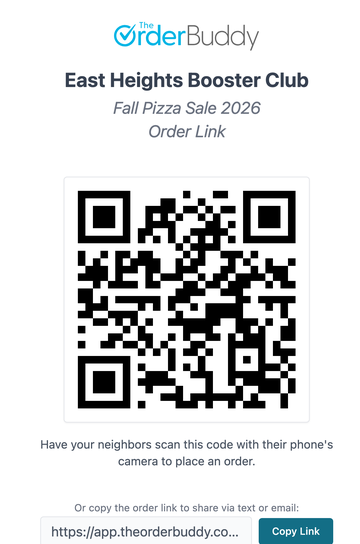
Pay at the door. An unpaid order shows a QR code. The customer scans it and pays by card on their own phone. No reader, no card numbers on paper.
Every card payment is matched to its order, so there are no blank notes to chase. The money goes straight to your group’s own Stripe account, never through a parent, and Stripe sends it to your bank on its regular schedule.
Stripe’s processing fees apply. The Order Buddy adds no fee of its own. Cash, checks and payment apps still work alongside cards, and the same rules still apply to those.
See how card payments work with The Order Buddy →
Want to see it on your own sale? , or read straight answers on how it works.
Your checklist
- Payment apps decided: allowed or not, in writing
- Any account the group takes money into is in the group’s name
- Card fee decided before the sale
- Payment rules in the kickoff message
- Payments matched to orders every week