
The short version
- You can’t sell for your groups, but you can set them up for success.
- Send a simple kit, keep a fundraising page next to it, and check in halfway.
- The last days of a sale are hectic for coordinators. Make your final order date easy to find.
If you built your business from the ground up, you know what your community did for you. Your products are just the start of what you can give back.
Ways to help
- 1.Send one simple kit. Your product sheet with photos and prices, one order form, and a tally sheet. Put the products in the same order on every sheet, and on your final order form, so the totals come in clean. Put the kit on your website too, in case they need more.
- 2.Keep one fundraising page next to it. Walk coordinators through a sale of your products, from setup to delivery day. Say who calls who to set the delivery, and how to handle your products. They get their answers any time, and you get fewer calls.
- 3.Check in at the halfway mark. Ask the coordinator how it’s going and what’s selling. You get an early look at what to make, and they learn you’re in their corner.
- 4.Make your final order date easy to find. The last few days of a sale are the busiest for a coordinator: late orders, missing forms, money to count. Tell them up front how much wiggle room you have after the date. Then nobody is guessing at midnight.
- 5.Call the groups who don’t come back. Ask kindly what got in the way. Then fix what you can for the next group.
Copy this
Hi [name]! Just checking in on your [product] sale. How’s it going, and what’s selling best so far? A rough guess helps me have it all ready for you. If anything’s tricky, call me.
A quick example
A small bakery sold cupcakes through a swim team every spring. One year, two days after the final order came in, the coordinator called to add 20 dozen more. That meant a second bake and a second trip. The next spring, the owner texted the coordinator at the halfway mark to ask what was selling. The coordinator guessed about 150 dozen, mostly chocolate. The bakery planned a little over that, so when a few late orders came in, they fit in the same bake. One bake, one trip.
How The Order Buddy handles it
What if the kit came with a whole system too? With The Order Buddy, you can give your groups a way to take orders and learn from every sale, under your name and logo. It’s built from your own website, so it looks and reads like you. We run everything behind it: the setup, the system, and the support for your groups.
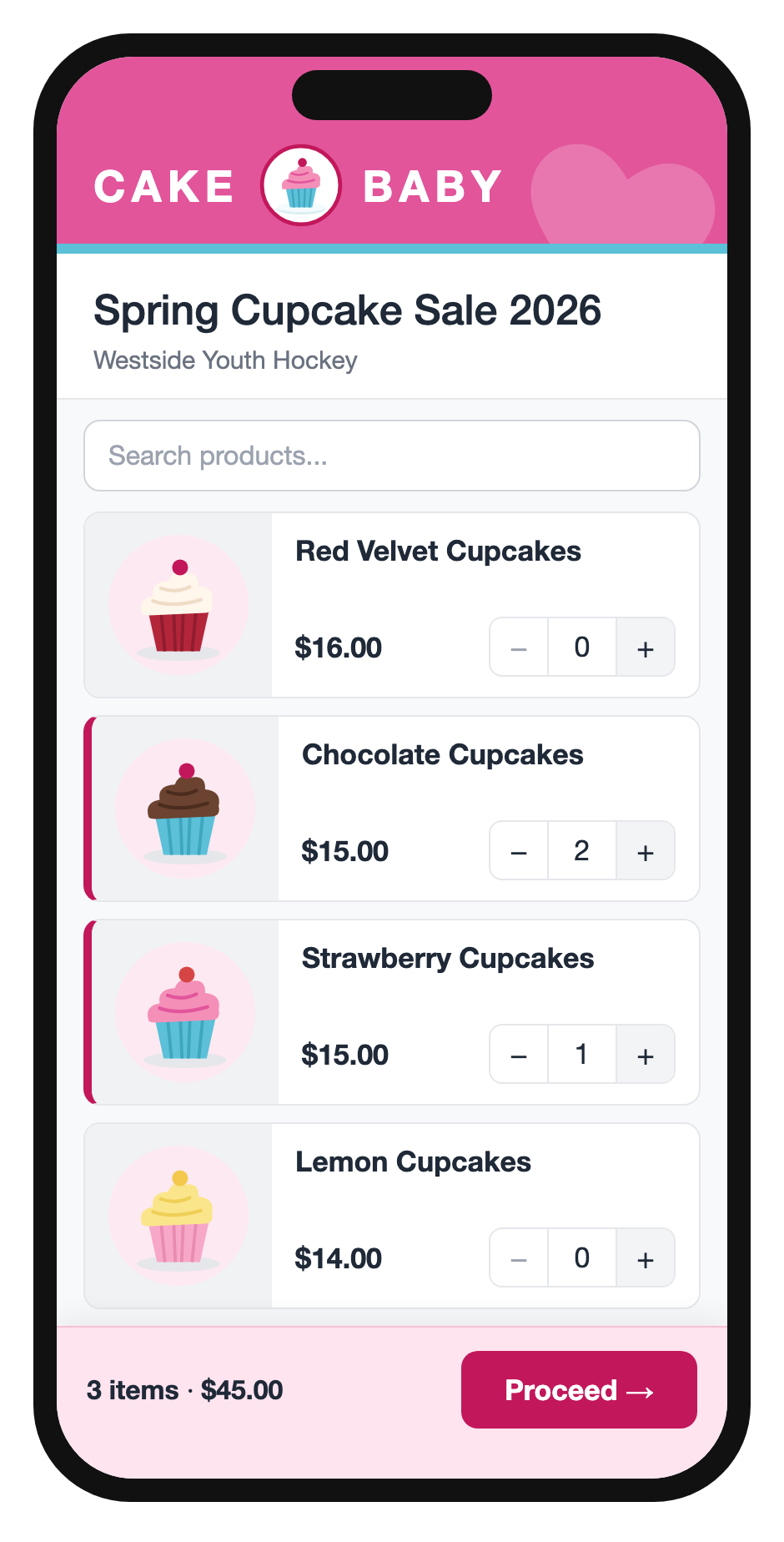
For your groups. Families take orders on their phones, at the door or at home. There’s nothing to install, and each order shows whether it’s paid, and how. Coordinators watch the sale as it happens, see who needs a nudge, and get clean reports for the final order, including a picklist for pickup day.
For you. You see your groups’ sales as they come in, by group and by product, on your own dashboard. As the final order date approaches, you will see a near match of what the group will submit as their final order.
Every year after. Each group keeps its legacy of supporters. When kids move on, the coordinator hands their customers to families just starting out. And the maps and insights show where the group’s supporters are, and how each sale compared with the last.
Want to see it with your own products? Try it free with one of your groups.
Your checklist
- Kit sent: product sheet, order form and tally sheet, products in the same order on each
- One fundraising page next to the kit: setup, the final order, delivery, and handling your products
- Halfway check-in on the calendar
- Final order date, and the wiggle room after it, easy to find
- Groups who didn’t come back, called
All 4 parts for suppliers
- 1.Help your groups beyond the product
- 2.Put your whole fundraiser on one page
- 3.See what sells in real time (coming soon)
- 4.Grow your groups year over year (coming soon)